threejs 使用 stat.js 插件用于性能监听,插件最新下载地址为:http://github.com/mrdoob/stats.js
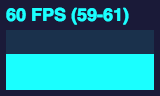

- FPS Frames rendered in the last second. The higher the number the better. 上一秒帧率,数量越高越好。序号:0
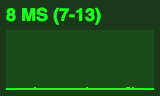
- MS Milliseconds needed to render a frame. The lower the number the better. 渲染一帧需要的时间,越低越好。序号:1
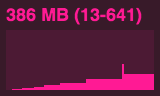
- MB MBytes of allocated memory. (Run Chrome with --enable-precise-memory-info) 花费的内存(Chrome 需要在快捷链接后添加
–enable-precise-memory-info参数)序号:2 - CUSTOM User-defined panel support.(自定义面板)序号:3
以下是 stat.js 中的 examples 示例代码:
<!DOCTYPE html> | |
<html> | |
<head> | |
<title>stats.js - basic example</title> | |
<meta name="viewport" content="width=device-width, user-scalable=no, minimum-scale=1.0, maximum-scale=1.0"> | |
<style> | |
body { | |
margin: 0px; | |
overflow: hidden; | |
} | |
</style> | |
</head> | |
<body> | |
<script src="../build/stats.min.js"></script> | |
<script> | |
// 组件实例化 | |
var stats = new Stats(); | |
/** | |
* FPS Frames rendered in the last second. The higher the number the better. 上一秒帧率,数量越高越好。序号:0 | |
* | |
MS Milliseconds needed to render a frame. The lower the number the better. 渲染一帧需要的时间,越低越好。序号:1 | |
* | |
MB MBytes of allocated memory. (Run Chrome with --enable-precise-memory-info) 花费的内存(Chrome 需要在快捷链接后添加 --enable-precise-memory-info 参数)序号:2 | |
* | |
CUSTOM User-defined panel support.(自定义面板)序号:3 | |
*/ | |
stats.showPanel( 0 ); | |
document.body.appendChild( stats.dom ); | |
var canvas = document.createElement( 'canvas' ); | |
canvas.width = 512; | |
canvas.height = 512; | |
document.body.appendChild( canvas ); | |
var context = canvas.getContext( '2d' ); | |
context.fillStyle = 'rgba(127,0,255,0.05)'; | |
function animate() { | |
var time = performance.now() / 1000; | |
context.clearRect( 0, 0, 512, 512 ); | |
// 开始统计 | |
stats.begin(); | |
for ( var i = 0; i < 2000; i ++ ) { | |
var x = Math.cos( time + i * 0.01 ) * 196 + 256; | |
var y = Math.sin( time + i * 0.01234 ) * 196 + 256; | |
context.beginPath(); | |
context.arc( x, y, 10, 0, Math.PI * 2, true ); | |
context.fill(); | |
} | |
// 结束统计 | |
stats.end(); | |
requestAnimationFrame( animate ); | |
} | |
// 循环调用 | |
animate(); | |
</script> | |
</body> | |
</html> |
// 用于更新状态,重新计时,重新计算性能 | |
stats.update(); |